Talk it out.
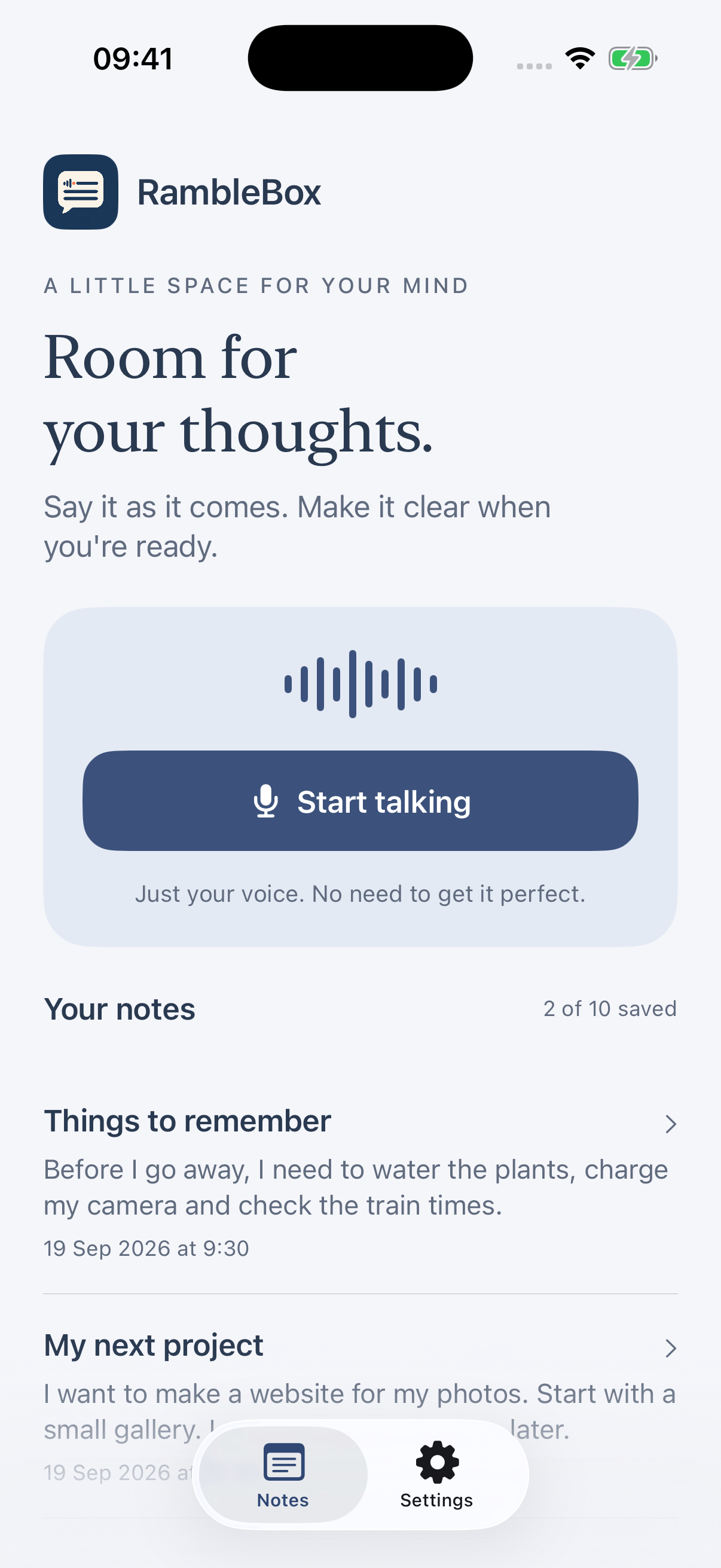
Tap Start talking. A passing thought or a longer explanation, say it in your own way.
AVAILABLE NOW FOR IPHONE
Turn your spoken thoughts into written notes on your iPhone. A quick reminder or a long, rambling idea. Say it all, then read, edit or share the text.
ON YOUR IPHONE · IN YOUR WORDS
Tap Start talking.
Say what’s on your mind.
Tap Finish.
Your words are saved as text to edit, copy or share.
REAL APP SCREENS · EXAMPLE NOTES
LESS BLANK PAGE. MORE BEGINNING.
They wander. Double back. Become something else halfway through.
RambleBox gives them room, then gives you the words.
FROM “LET ME EXPLAIN…” TO “HERE IT IS.”
Tap Start talking. A passing thought or a longer explanation, say it in your own way.
Finish and read your transcript. Edit the text while keeping the original.
Copy, share or save a text file. Into a brief, a message, a manuscript or whatever comes next.
WHAT’S ON YOUR MIND?
You don’t need a template to begin.
Here are a few places your words might go.
Three illustrative examples of what you could do with your saved words.
Build the idea before you build the app.
02Catch the sentence before it goes.
03A busy mind. A little more room.
04Keep the day in your own words.
05Get the whole brief out of your head.
06Say what you mean. Then send it.
07Explain it. Find the gaps.
08Good thoughts have terrible timing.
A SMALL APP WITH A SMALL FOOTPRINT
Transcription happens on the device. No RambleBox account, advertising SDK or cloud AI service.
Finished notes are text. Temporary audio is removed once the complete transcript is safely saved. Your device backup settings may include saved text.
Read the plain-English privacy policy ↗A LITTLE CHANGE OF COLOUR
Ink Blue for a fresh start. Sage for something softer. Ten themes, one familiar app. Your choice stays selected and follows your iPhone’s light or dark appearance.
Meet the ten themes ↗ONE PAYMENT. A LIFETIME OF PRO.
£0
60 minutes of dictation in total, to use whenever you like.
£19.99 one-time
Lifetime Pro. No subscription.
No renewal fees.
Keep dictating after your free hour, with one purchase.
Upgrade to lifetime Pro inside RambleBox.
UK price. Apple confirms your local price before purchase.
Available device storage still applies. Pro does not add languages or cloud storage.
A FEW THINGS YOU MIGHT BE WONDERING
It turns spoken English into text notes on your iPhone. You can edit a note, then copy, share or save the text.
Your first hour of dictation is free on this iPhone, to use whenever you like. The allowance counts microphone-on time, including silence. Pausing, editing and processing do not use it. Saved notes, editing, ten themes and text sharing stay available after your hour. RambleBox Pro is a lifetime unlock for a UK price of £19.99, paid once. It removes the dictation allowance, with no subscription or renewal fees. Apple shows your local price before purchase.
Yes. Pro is a one-time unlock for RambleBox, with no subscription or renewal fees. It removes the dictation allowance; available device storage and supported speech features still apply. You can restore an eligible purchase through the same Apple Account.
Finished notes are text. Temporary audio is kept while transcription is pending and removed after the complete transcript is saved. If transcription is interrupted, temporary audio may remain for retry. There is no audio player or audio export.
RambleBox is designed to handle longer explanations. There is no advertised guaranteed recording length. Available storage, battery, device temperature and interruptions can affect a session.
Speech transcription runs on the device once the necessary Apple assets are ready. Initial downloads, purchases and website support need an internet connection.
The first release has an English interface and English speech-to-text. Translation and automatic multilingual recognition are not included.
RambleBox is available now on the App Store for iPhone. Download it free and start with one hour of dictation, to use whenever you like. Requires iOS 26 or later and compatible English speech support.
GOOD THOUGHTS NEED SOMEWHERE TO GO
One hour of dictation free. No account. No subscription.
DOWNLOAD ON THEApp StoreiOS 26 or later. English speech-to-text. Compatible speech support required.